
UPDATE: 01.10.2012
According to Microsoft’s help document (Customize the Navigation Pane), the customization options for Outlook 2010 have been stripped down.
It looks like Outlook 2010 has removed this functionality. My guess is that Microsoft did this to tighten up security in Outlook. Opening up URLs inside of Outlook from untrusted sources could wreak havoc. And given all of the bad press that Microsoft has gotten due to their security issues, it does not surprise me that this is not available anymore. Meanwhile, there is a way to add this functionality using shortcuts in Outlook. However, it would require storing your password in plaintext on your computer, and it would require you to click two confirmation buttons every time you loaded up that page. You are probably better off bookmarking the page and using your web browser to remember the password. It’s going to be more convenient and secure.
For those of you still using older versions of Outlook, continue on at your own risk :)
One of our Intervals customers has showed us a clever way of getting your Intervals task list to show up in Outlook. Here is a screenshot of how it looks, along with instructions on how to do it yourself.
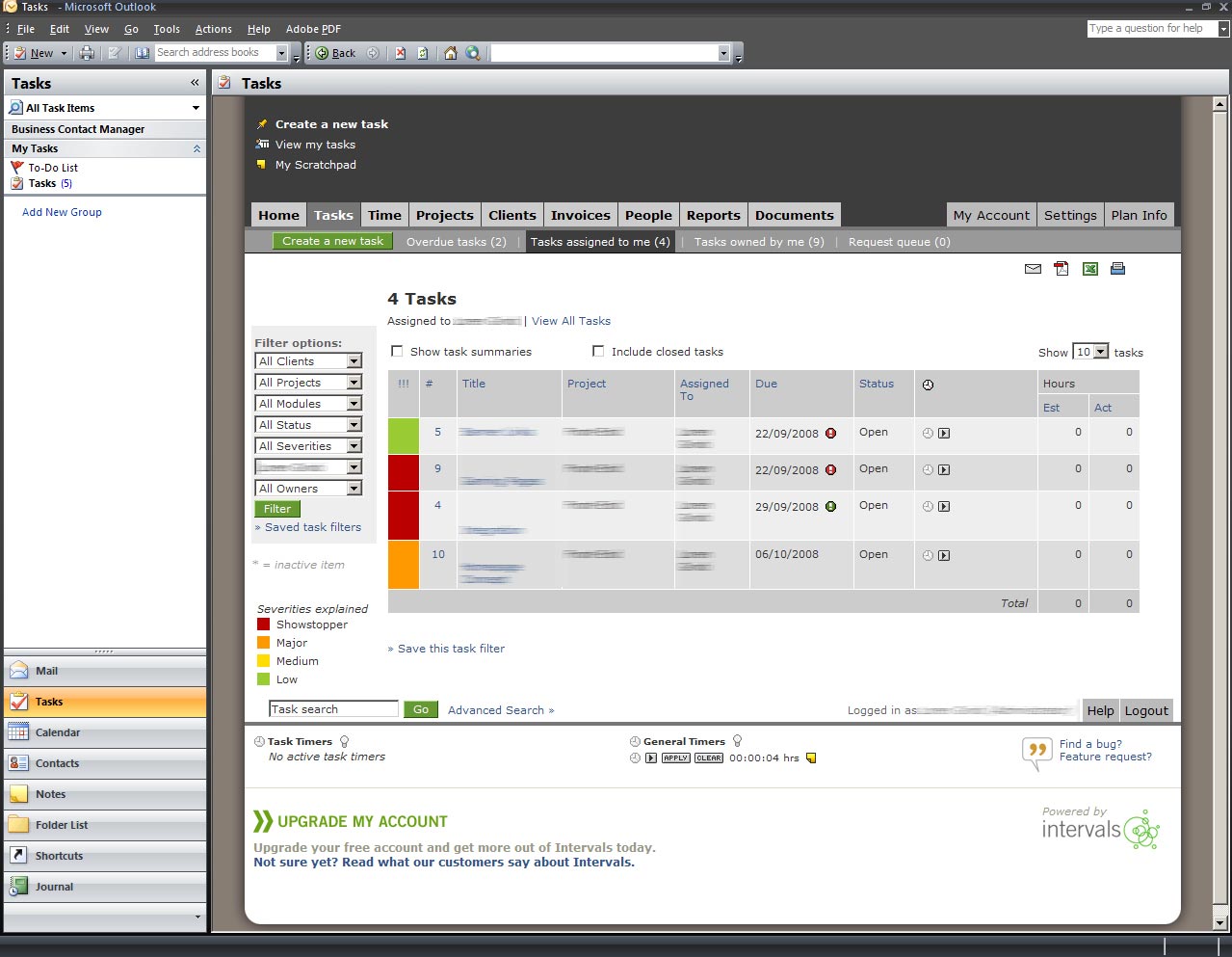
- Link the Tasks bar in the lower left column of Outlook to a page on your computer
- Code the page on your desktop with your username and password, so that it automatically redirects you to the Task page in Intervals. Format the URL like this:
http://[yourdomain]/index.php?module=people&action=loginsubmit
&f_username=[username]&f_password=[password]&f_url=/tasks - Click the Tasks bar in Outlook to see your Intervals tasks





Cool concept! Pretty vague instructions, though. Very nifty once we figured it out, but you should probably clarify some things for future users.
Question: we keep getting errors with the script on the page once it comes up in Outlook. Is it different in 2010?
It’s very possible. We haven’t tried it yet with Outlook 2010. This solution was submitted to us by one of our customers two years ago. What is the error you are getting?