
The Intervals Forum is read-only
Please head to help.myintervals.com for help articles and guides. If you have any questions, please contact our support team.
Please head to help.myintervals.com for help articles and guides. If you have any questions, please contact our support team.
-
- shaun
- May 20th 2008 edited @ 05/30/2008 1:58 pm
I have created a list of 20 tasks I want to assign to each project, do I have to recreate these tasks for every project or can they be copied into a new project automatically? -
- Michael
- May 20th 2008
You can copy each task individually by drilling into the task detail page and clicking on "copy" on the left hand side. This is a one by one procedure for each task.
Another option which may be more useful is copying a project. A template project can be created that has the 20 tasks in it. Then, whenever a new project is needed that project can be copied. To copy a project, click on the profile page and then "copy {project name}". There will be a confirmation page that looks like this: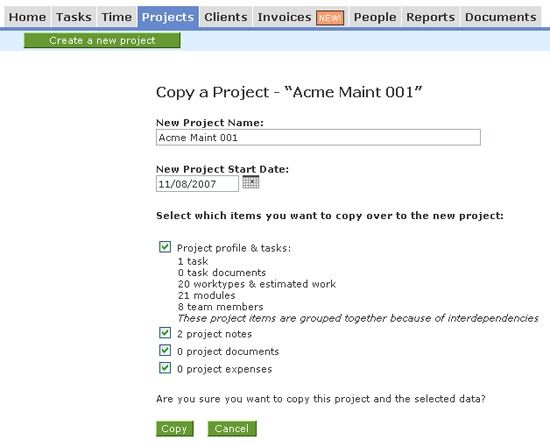
1 to 2 of 2
Comments are closed.
For more Intervals help documentation, please visit help.myintervals.com