
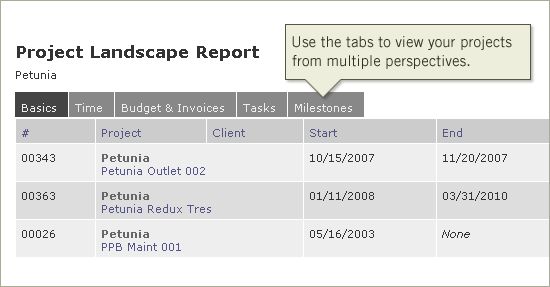
We’ve added a new report to Intervals, the Project Landscape Report. This project activity report is useful for comparing data across several projects at once. Whether taking a glance at how your projects are doing, or digging in deeper to view tracked time, task totals and financial balances and budgets, this workflow reporting tool is ideal for gauging project health.
The report filters enable project managers to break down the project landscape into a countless number of perspectives — view all billable projects across your company or run a history of all active and inactive projects for a specific client. The project timeline software organizes data giving project managers several tabs for viewing different perspectives — project basics, time, budget & invoices, tasks and milestones.
To use this report, simply log into your Intervals account and click on the Reports tab. From there you’ll see the link to the Project Landscape report and the option to run popular variations of the report.




