
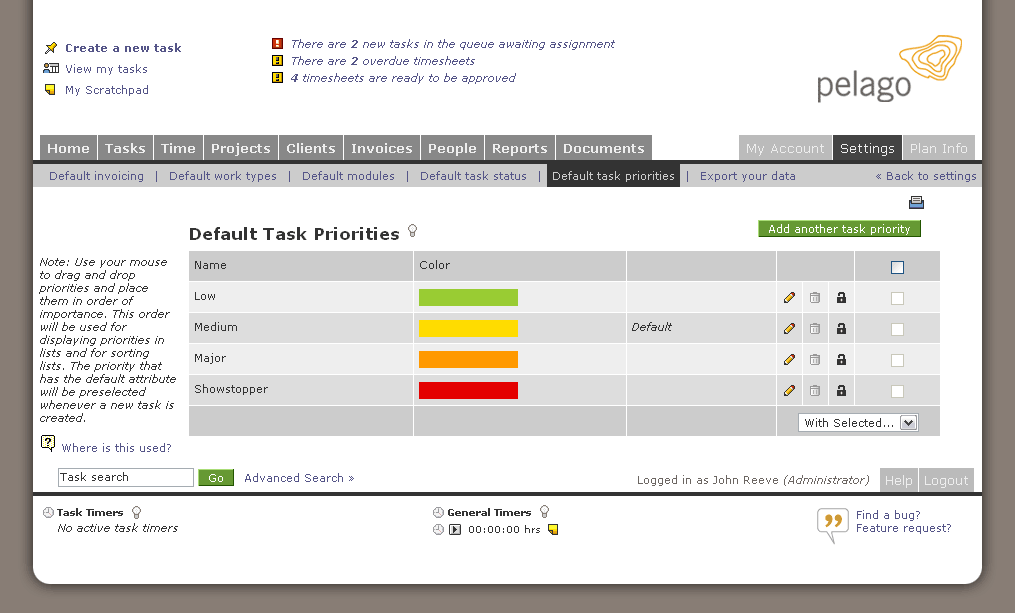
 Our developers spent the weekend launching a new feature for Intervals, our web-based project management tool. Now you can customize your default task priorities. Use the default task priorities tab to add, edit, deactivate, or delete priorities, as well as specify the color coding and order they should appear. These custom priorities are useful for organizations used to elevating or demoting the severity of a task. For example, overdue tasks could be the last item on the severity list, and denoted by a bright red color. Sorting by task priority will put these critical tasks at the top of your list with a red block of color.
Since Intervals does not subscribe to any particular methodology for task management (although, it is loosely based on traditional ticket tracking systems), custom task severities can be used to apply the methodology of your choice. To use Intervals for agile development, create task priorities for 1-point, 2-point, and 3-point stories. For Getting Things Done, create “Next actions,” “Projects,” “Waiting for,” and “Someday/Maybe.” As you can see in the screenshot above, we employ a linear structure while still having some fun. Our priorities are “Low,” “Medium,” “Major,” and “Showstopper.”