
Email Queue Integrated into Intervals

September 18th, 2008 by John Reeve

Our most recent addition to Intervals is the ability to send emails to the work request queue. Now you can field client requests and documents via email and convert them into tasks with the click of a button. To get started, you’ll need your own email account with POP3 or IMAP access. Login to Intervals and update the Email Queue settings. Once you’ve setup and tested the account, Intervals will start checking the email account every ten minutes for new requests.
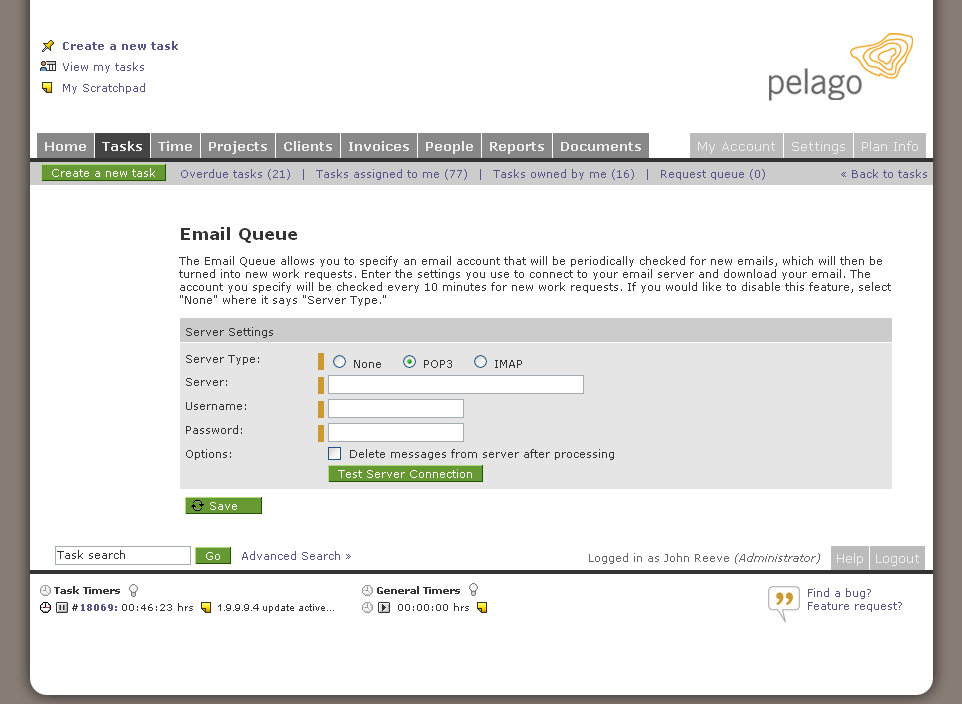
Email Queue Integration

Email Queue Setup

The Email Queue allows you to specify an email account that will be periodically checked for new emails, which will then be turned into new work requests.


Tags: , , ,

Related posts

Bookmark:
  • Post to Del.icio.us
  • Post to Digg
  • Post to Google
  • Post to Ma.gnolia
  • Post to MyWeb
  • Post to Newsvine
  • Post to Reddit
  • Post to Simpy
  • Post to Slashdot
  • Post to StumbleUpon
  • Post to Technorati

2 Responses to “Email Queue Integrated into Intervals”

  1. Dave Says:

    Thank you for planning this feature, and for keeping your promise on it. Very much appreciated,

    dave

  2. Forum for Intervals :: Time and Task Management - Intervals Roadmap Says:

    Kramer auto Pingback[...] Due DateOptional AssigneeMultiple AssigneesTask severity customizable and renamed “Task Priority”Email Polling to jump start a work requestEarly Q4:Milestones / Light Scheduling / Calendar ViewRecurring TasksLate Q4:Please note that these [...]

Leave a Reply

Contact / Newsletter Information


