Timesheets really aren’t traditional timesheets with the way Intervals handles time tracking. When I hear timesheet I immediately think of a punching in and punching out. Timesheets in Intervals are akin to a weekly view of your time. When we first tinkered with the variety of ways to track time we learned that tracking time on tasks is huge. It makes tracking your time more natural because you just start and stop timers whenever you work on a particular item. We also learned that some people just flat out struggle with tracking time. That is where the “timesheet” concept and “overdue” timesheets were born. We learned that if people know they have to submit time weekly it becomes more habitual. It also prevents large amounts of time passing before recording any time OR not billing someone enough because time had not been entered.
We usually track around 225 hours a week at Pelago and approving timesheets takes less than a quarter of an hour typically.
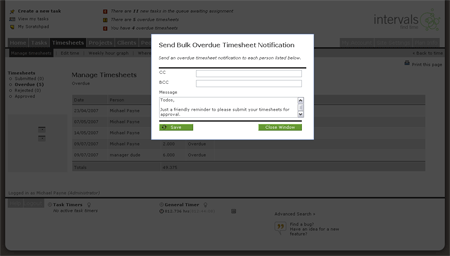
Today we launched a one click mechanism to remind anyone with an overdue timesheet to submit it. For Intervals account holders that do not have their people submit their time, Administrator level users can always submit and approve everyone’s time on their behalf (it only takes two clicks).
Here is what the bulk reminder looks like and it can be found in Manage Timesheets >> Overdue